WooCommerce vs Shopify in 2026: Which Platform Should You Actually Choose?
Few debates in the eCommerce world generate more heat than the WooCommerce vs Shopify discussion. Both platforms power millions of online stores. Both have loyal communities, extensive ecosystems, and real success stories behind them. And both have genuine shortcomings that their advocates tend to quietly gloss over.
If you're trying to decide between them right now — whether you're launching a new store, migrating from another platform, or reconsidering your current setup — this guide is for you. We're not going to tell you one is universally better. We're going to help you figure out which one is better for your specific situation.
Let's get into it.
The Fundamental Difference Most Guides Miss
Most comparisons of WooCommerce and Shopify get stuck on surface-level features — pricing, themes, payment options. Those things matter, but there's a more fundamental distinction that shapes everything else.
Shopify is a product. WooCommerce is a system.
When you use Shopify, you're renting a complete, managed eCommerce environment from a single company. Your store, your checkout, your hosting, your payment gateway, your analytics — it all lives within Shopify's infrastructure. This is incredibly convenient, especially in the early stages, but it also means you're operating within Shopify's decisions about what's possible and what isn't.
WooCommerce, on the other hand, is an open-source plugin that turns a WordPress website into an online store. You're responsible for hosting, maintaining, updating, and securing everything yourself (or hiring someone to do it). The trade-off for that extra responsibility is near-unlimited flexibility — over your code, your data, your design, and your costs.WooCommerce vs Shopify in 2026: Which Platform Should You Actually Choose?
Few debates in the eCommerce world generate more heat than the WooCommerce vs Shopify discussion. Both platforms power millions of online stores. Both have loyal communities, extensive ecosystems, and real success stories behind them. And both have genuine shortcomings that their advocates tend to quietly gloss over.
If you're trying to decide between them right now — whether you're launching a new store, migrating from another platform, or reconsidering your current setup — this guide is for you. We're not going to tell you one is universally better. We're going to help you figure out which one is better for your specific situation.
Let's get into it.
The Fundamental Difference Most Guides Miss
Most comparisons of WooCommerce and Shopify get stuck on surface-level features — pricing, themes, payment options. Those things matter, but there's a more fundamental distinction that shapes everything else.
Shopify is a product. WooCommerce is a system.
When you use Shopify, you're renting a complete, managed eCommerce environment from a single company. Your store, your checkout, your hosting, your payment gateway, your analytics — it all lives within Shopify's infrastructure. This is incredibly convenient, especially in the early stages, but it also means you're operating within Shopify's decisions about what's possible and what isn't.
WooCommerce, on the other hand, is an open-source plugin that turns a WordPress website into an online store. You're responsible for hosting, maintaining, updating, and securing everything yourself (or hiring someone to do it). The trade-off for that extra responsibility is near-unlimited flexibility — over your code, your data, your design, and your costs.
Understanding this distinction helps clarify most of the specific comparisons that follow.
Ease of Use: The Honest Picture
Shopify is genuinely easier to start with. You sign up, choose a theme, add your products, connect a payment method, and you're selling — often within an afternoon. Shopify handles the technical infrastructure entirely. You don't choose a hosting provider, configure a database, or manage SSL certificates. It's just done.
WooCommerce involves more setup, particularly if you're new to WordPress. You'll need to choose a hosting provider, install WordPress, install the WooCommerce plugin, set up payment gateways, configure your theme, and sort out SSL. That might take a day or a weekend rather than an afternoon. With decent hosting and a well-documented theme, it's entirely manageable for a non-developer — but the gap in initial friction is real.
That said, once you're past the setup phase, WooCommerce is not dramatically harder to use day-to-day. Managing products, processing orders, and updating content in WordPress is intuitive, and the Gutenberg block editor has improved significantly over the past few years.
Verdict on ease of use: Shopify wins the getting-started race. WooCommerce catches up after setup, but the early complexity does matter for people with limited time or technical confidence.
Pricing: It's More Complicated Than It Looks
Shopify's pricing appears straightforward: Basic ($39/month), Shopify ($105/month), and Advanced ($399/month) as of 2026. But there are additional costs that affect the real price considerably.
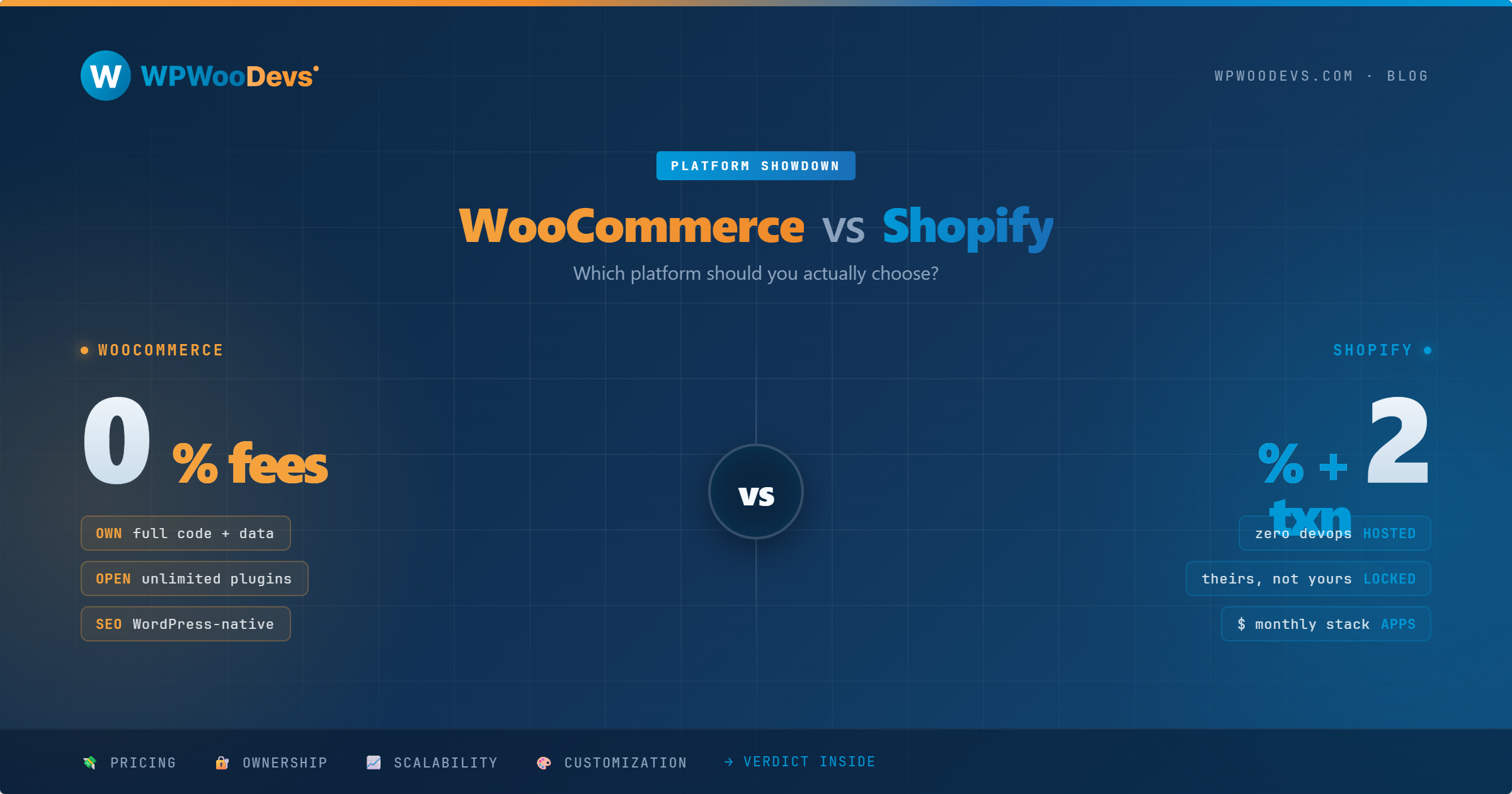
Transaction fees are the big one. Unless you use Shopify Payments (which is only available in certain countries, including the US, UK, and Australia), you'll pay a fee on every transaction — 2% on Basic, 1% on Shopify, and 0.5% on Advanced — on top of your payment processor's fees. If you're doing any volume and using a third-party gateway, this adds up fast.
App costs are the other variable. Many features that WooCommerce provides through free plugins — subscription billing, advanced product options, affiliate programs, bundle pricing — require paid Shopify apps. A fully-featured mid-tier Shopify store might easily have $100–$300/month in app subscriptions on top of the plan cost.
WooCommerce is free as a plugin. Your costs are: Hosting ($15–$50/month for quality managed WordPress hosting), Domain (around $12–$15/year), Premium plugins and themes (variable, but often one-time purchases), and Payment processing at standard Stripe or PayPal rates with no added WooCommerce transaction fees.
For low-volume stores or those just starting out, Shopify's Basic plan is often cheaper than a properly configured WooCommerce setup when you factor in hosting. For higher-volume stores, WooCommerce typically becomes more cost-effective, especially if you use a third-party payment gateway.
Verdict on pricing: Low volume — Shopify can be competitive. Higher volume or with specific payment needs — WooCommerce usually wins.
Customization and Flexibility
This is where WooCommerce has a genuine, substantial advantage.
Because WooCommerce runs on WordPress and is open-source, you can modify virtually anything. Want a completely bespoke checkout flow? Change the order of fields in your cart? Build a product configurator with hundreds of options? Integrate with a niche ERP or CRM that Shopify doesn't have an app for? All of this is achievable with WooCommerce.
Shopify offers a theme customizer and a growing set of block-based editing tools, and it's come a long way in terms of design flexibility. But you're ultimately working within Shopify's framework. Certain customizations — especially in checkout — are restricted to higher-tier plans or are simply not possible without workarounds.
The availability of WooCommerce developers is also a practical consideration. Because WooCommerce runs on WordPress — which powers more than 40% of the web — finding skilled developers who know the platform is straightforward. Rates are competitive, and the talent pool is global.
Verdict on customization: WooCommerce wins comfortably. For any business with non-standard requirements, this matters enormously.
SEO Capabilities
Both platforms can achieve excellent SEO results — the idea that one is inherently better for rankings is a myth. What differs is how much control you have over the technical side of SEO.
WordPress + WooCommerce gives you access to mature, feature-rich SEO plugins like Yoast SEO and Rank Math. You have complete control over your URL structure, canonical tags, structured data, sitemaps, meta tags, redirects, and site speed. You can implement any technical SEO strategy a specialist recommends without hitting a platform wall.
Shopify has solid built-in SEO features and handles the basics well. However, there are historical limitations worth noting: customizing URL structure is restricted, and certain technical SEO configurations require workarounds or apps.
For most small to mid-sized stores, these differences won't meaningfully affect rankings. For serious SEO-driven businesses, the flexibility of WooCommerce is valuable.
Verdict on SEO: WooCommerce provides more control; Shopify is sufficient for most businesses.
Security and Maintenance
Here's the trade-off that deserves to be spelled out clearly.
Shopify handles security entirely. PCI compliance, server patches, SSL, DDoS protection — all managed by Shopify's team. If there's a platform-level vulnerability, Shopify fixes it. You don't think about it.
With WooCommerce, you're responsible. That means keeping WordPress, WooCommerce, themes, and plugins updated. It means choosing a hosting provider with good security infrastructure. It means having a backup strategy. Done well, a WooCommerce store can be very secure. Done poorly — ignoring updates, using too many third-party plugins from unknown sources, neglecting backups — it can be a serious liability.
This is a real and meaningful difference. If you have no interest in the technical side of running a website, Shopify removes a genuine burden. If you have a developer or a managed maintenance service in place, the WooCommerce maintenance overhead is manageable and predictable.
Verdict on security: Shopify is lower-maintenance. WooCommerce is manageable with the right support in place.
Scalability
Both platforms have been used by businesses doing tens of millions in annual revenue, so don't let anyone tell you either is inherently unscalable.
Shopify scales vertically — you upgrade your plan, potentially to Shopify Plus for enterprise features, and the platform handles the infrastructure. Your costs grow with your revenue, and you don't think about servers.
WooCommerce scales horizontally — you invest in better hosting, caching layers, database optimization, and potentially a headless architecture as traffic and transaction volume grow. This gives you more control over performance but requires more technical investment.
For businesses that expect complex scaling requirements — international markets, high SKU counts, custom wholesale pricing, API integrations with logistics and ERP systems — WooCommerce's open architecture is often the better foundation.
Verdict on scalability: Both scale; WooCommerce offers more architectural flexibility for complex requirements.
Who Should Choose Shopify?
You're a good fit for Shopify if:
You want to launch quickly with minimal technical setup
You're selling physical products with standard requirements
You're comfortable with predictable monthly subscription costs
You operate in a country where Shopify Payments is available (US, UK, Australia — all yes)
Security and hosting management is something you'd rather outsource entirely
You're not planning heavily customized product pages or checkout flows
Who Should Choose WooCommerce?
WooCommerce makes more sense if:
You already have a WordPress website and want to add eCommerce
You need deep customization of your store, checkout, or product structure
You're in a niche that requires specific integrations not available as Shopify apps
You want full ownership of your data and code
You're SEO-focused and want maximum technical control
You have access to WordPress/WooCommerce development support
You're selling services, digital products, memberships, or subscriptions
Your transaction volume makes Shopify's fees a significant line item
What About Migrating Between Them?
Migration is possible in both directions, but it's not trivial. Product data, customer records, order history, and URLs all need careful handling to avoid SEO damage and data loss. If you're considering a migration from Shopify to WooCommerce or vice versa, plan for it as a proper project — not an afternoon task — and back everything up before you start.
The Bottom Line
The WooCommerce vs Shopify debate doesn't have a universal winner. It has a right answer for each business, based on what you actually need.
If you want simplicity, speed to market, and a managed environment, Shopify delivers that reliably. If you want flexibility, control, and lower total cost of ownership at scale, WooCommerce is the better foundation.
The worst thing you can do is choose a platform based on what's trending or what someone else is using without accounting for your own requirements. Take an honest look at your technical resources, your customization needs, your transaction volume, and your long-term goals — then make the call.
Still unsure which platform fits your business? At WpWooDevs, we work with both WooCommerce and WordPress day in and day out. We can help you evaluate your options, plan a migration, or build the store you actually need. Drop us a message.